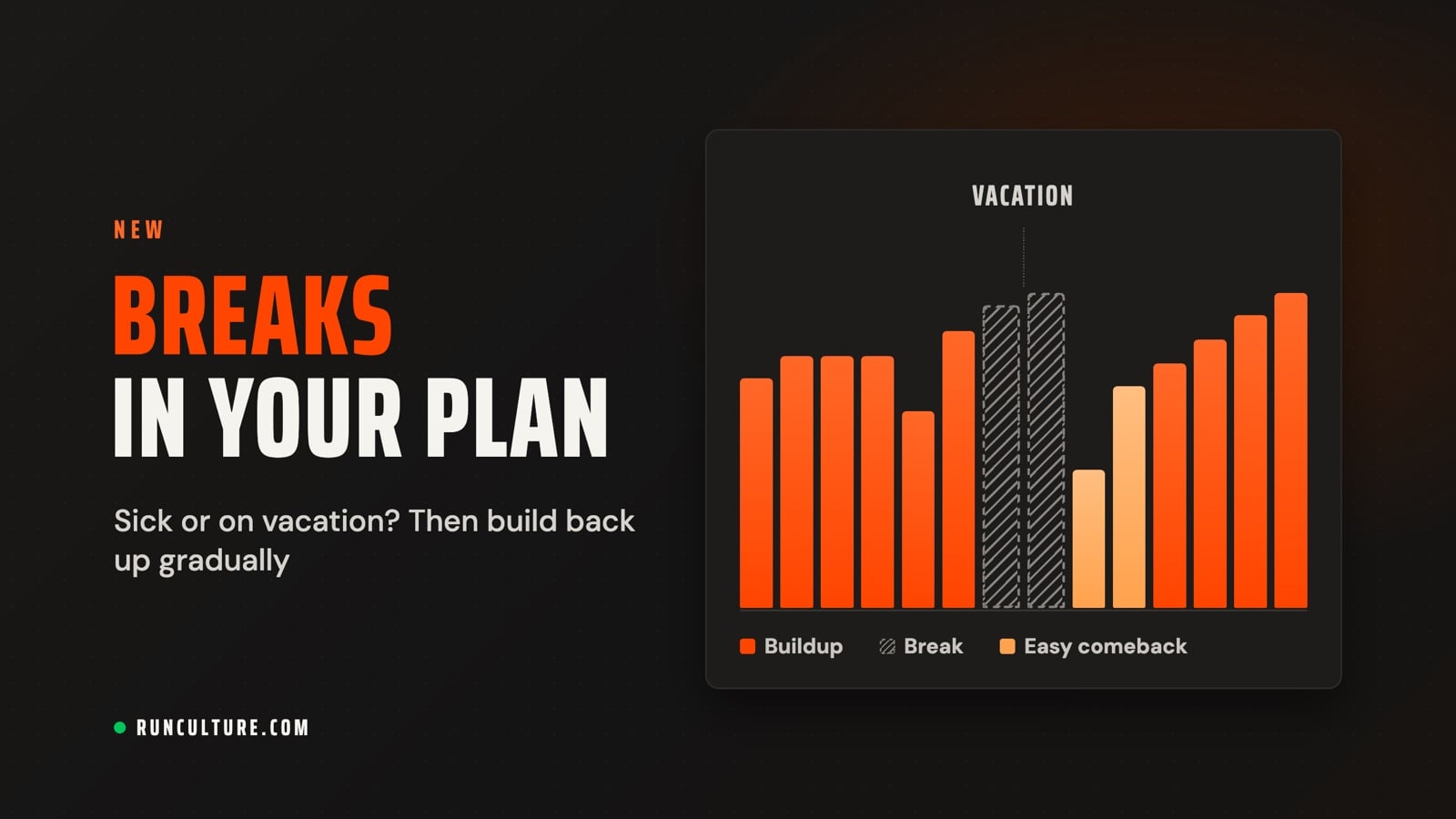
Sick, on vacation, or injured? Add a break to your plan
Taking time off is part of running. Report a break and your plan adjusts: no workouts on your break days, then an easy comeback with slightly slower paces for a while.
A cold, two weeks of vacation, or an ankle that needs some rest: almost every plan gets interrupted along the way. Until now, your workouts just kept going, and after your break you faced a week you weren't ready for yet. Starting today, you can report a break. Your plan skips those days and builds back up gradually afterward, based on how long you were away.
At a glance:
How to report a break: pick your days on the calendar and choose a reason.What happens to your plan: no workouts on your break days, then an easy comeback.Your race: your race date stays put, with an honest expected finish time.In your plan: striped break days, and single days you want to run anyway.
In your plan, open the Adjust menu and choose Report a break or illness. Giving feedback on a workout that didn't happen? You'll also find the link Sick or away? Report a break there.
Pick your days on the calendar. Tap the first and the last day. Click a week number to select that whole week at once.Choose a reason: sick, vacation, injury, or other. With other, you can give your break its own title if you like. Sick and injury are only available for a break that has already started.Not sure yet when you'll run again? Turn on Last day not known yet. From your first day on, your plan has no more workouts. When you're running again, choose Resume. Only then does your plan recalculate.
Already know about a vacation before you create a plan? In the wizard, open Advanced options in the Planning step and choose Add a vacation or break. Your breaks then show up below your training week, where you can edit, remove, or add to them. Your plan takes them into account from day one. Your breaks fall within the number of weeks you choose; without a fixed race date, we'll suggest making your plan longer so you keep the same number of training weeks. If a break doesn't fit, for example because it falls in the easy buildup at the start, you'll see that right away, with a suggestion to fix it.
Before you save, you already see what happens to your plan, for example the day you start training again. You can also report a break after the fact. Workouts that are already in the past stay visible with a label. Your plan only recalculates from today on.
There are no workouts on your break days. What comes next depends on how long you were away.
Up to 5 days. You skip those days and carry on afterward. The week of your break counts as a recovery week.More than 5 days. You get a comeback period: a few weeks with fewer miles and slightly slower paces for a while. Over those same weeks, your paces return to your previous level step by step.More than 8 weeks. At that point, your old buildup no longer matches your fitness. We'll suggest creating a new plan.
Break
Comeback
Weekly mileage, compared to before your break
1 week
1 week
80%
8 to 13 days
2 weeks
75%, then 100%
2 to 3 weeks
2 weeks
50%, then 80%
4 weeks
3 weeks
50%, 65%, 80%
5 weeks
3 weeks
40%, 60%, 80%
6 to 8 weeks
4 weeks
30%, 50%, 70%, 80%
A few more rules you'll notice:
Easy does it. After a break of more than 5 days, your plan has no hard workouts for the first few days: 3 days, or 7 days after a break of 2 weeks or more. If you were sick or injured, you get 3 extra days, even after a short break.How much slower your paces are. About 1% for every week you didn't run, up to 4% after 4 weeks. After that it rises slowly. It's a temporary dip, not a new level.A test run after a long break. If you were away for more than 3 weeks, a test run during your comeback measures where you stand: an easy, continuous run where you log your distance and time. Your paces then follow that result.Two breaks close together. If there are fewer than 7 days between them, they count together for your comeback. Only the days you actually didn't run count. On the days in between, you train as usual, just without hard workouts.If it still hurts, a break isn't enough. If you report an injury and you're still in pain, we recommend a new plan. It starts easy and only builds up once you can run pain-free.
A race with a date stays put. Your taper comes first, so if your break falls right before your race, your comeback is shorter. You'll see a realistic finish time after your break, with an explanation that it reflects the workouts you missed.A goal without a date, like a PR, moves along. It shifts by roughly as many weeks as your break lasted.Does an extra race fall during your break? The break pop-up asks whether to remove the race or end your break the day before.
Break days are striped, in the color of the workout that was there before. That way you see what you're skipping.The weekly chart shows a break week striped too, at the height it had before your break.Want to run on a break day anyway? In that day's … menu, choose Restore to bring back the original workout, or change the day to a different workout. Back to break undoes it. Your plan doesn't recalculate for this; your break stays the same.To edit or delete your break, use the same menu or go through Adjust again. If you delete a break, your plan recalculates as if you had trained as usual.Anyone viewing your plan through a share link sees your break as regular rest, without the reason.
Breaks work in plans created with the new plan engine. Did something just come up? Open your plan and report your break.
Comments
No comments yet — start the conversation.
Comment as a guest or sign in.
Name
Email
Share your thoughts…
0 / 2000
Your comment appears after approval. Your email address is never shown.